Minesweeper
Embed a fully native Minesweeper game into your mobile app with minimal code.
MinesweeperGameView(model: $model)
What's included
Quick integration
Embed a fully native Minesweeper game into your mobile app with minimal code.
Daily puzzles
Seed mine placement by date so every player gets the same board on the same day — perfect for daily challenges.
Seeded boards
Pass any integer seed to get a fully reproducible board. Encode the seed in a URL to share a specific puzzle with any player.
Customise cells & callbacks
Swap in your own cell view and react to every reveal and game-ending event.
Flagging mode
Toggle .flaggingMode to make taps plant flags instead of revealing cells — ideal for a dedicated flag button in your UI.
Save & restore
MinesweeperModel is fully Codable — serialise the entire game state to JSON and restore it later with zero extra glue code.
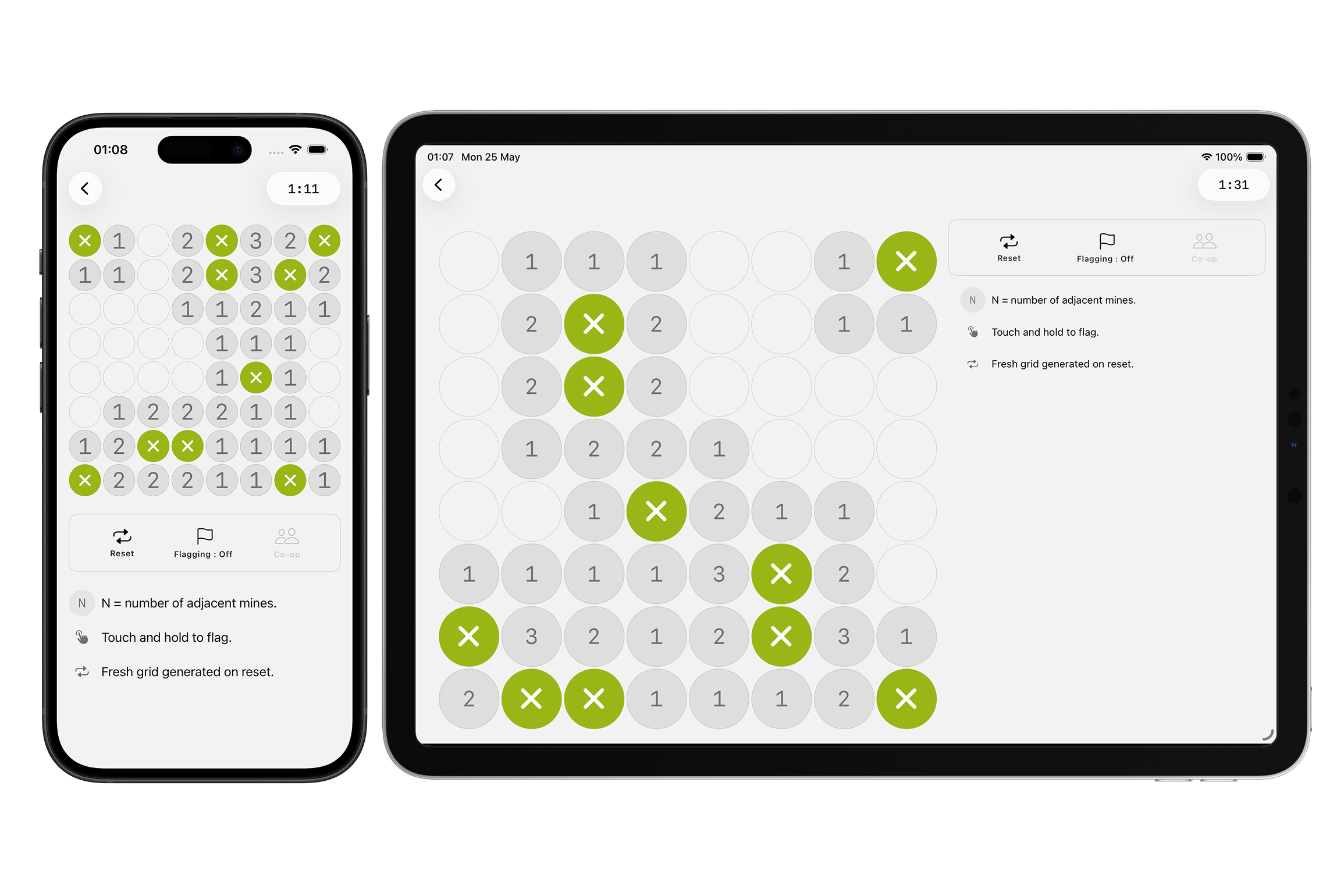
Quick integration
Pass a model into the view to render a fully playable Minesweeper grid. Mines are auto-generated on the player's first tap, guaranteeing a safe opening.
@State private var model = MinesweeperModel(rows: 9, columns: 9, mineCount: 10)

// Pass a $Binding — the view writes all live state back into model
MinesweeperGameView(model: $model)
The model
MinesweeperModel describes the board and owns all live game state — dimensions, mine count, placement mode, cell states, score, and outcome. Pass it as a @Binding so the view writes mutations back to your state layer.
// Primary init — supply a [[Bool]] mine-layout grid; rows, columns, mineCount, and mines are derived automatically.
let model = MinesweeperModel(
    grid: [
        [false, true,  false, false, false],
        [false, false, false, true,  false],
        [true,  false, false, false, false],
    ]
)

// Auto-generate mines on first tap — safe opening guaranteed.
let autoModel = MinesweeperModel(rows: 9, columns: 9, mineCount: 10)

// ── Configuration (derived or set at init time) ───────────────────────
// model.rows           — number of rows
// model.columns        — number of columns
// model.mineCount      — mine count (derived from grid, or passed to the rows/columns init)
// model.mines          — pre-placed mine positions (derived from grid, or empty for auto-generate)
// model.startingCoord  — mine-free cell with zero adjacency (set by init(grid:), otherwise nil)
// model.generationMode — .random or .seeded(Date) — only relevant for the auto-generate init

// ── Live game state (mutated during play, Codable) ────────────────────
// model.cellStates     — [[MinesweeperCellState]] full board (rows × columns, defaults to all .hidden)
// model.activeMines    — Set<MinesweeperCoord> actual placed mines
// model.score          — Int count of safely revealed cells
// model.isGameOver     — Bool
// model.didWin         — Bool? nil = in progress, true/false = outcome

// ── Computed ──────────────────────────────────────────────────────────
// model.totalSafe      — Int rows × columns − activeMines.count

// ── Methods ───────────────────────────────────────────────────────────
// model.reset()        — restores all state to initial values
State & persistence
Because MinesweeperGameView now accepts a Binding<MinesweeperModel>, all live game state — cell states, placed mines, score, and outcome — is written back into your model on every move. Hold the model in @State (or any observable), read state directly from it, call reset() to restart, and serialise the whole thing to JSON with a single JSONEncoder call.
// Hold the model in @State so mutations are reflected back to the view
struct ContentView: View {
    @State private var model = MinesweeperModel(rows: 9, columns: 9, mineCount: 10)

    var body: some View {
        VStack {
            // Pass a $Binding — the view writes live state back into model
            MinesweeperGameView(model: $model)

            // Read live state directly from the binding's wrapped value
            Text("Score: \(model.score) / \(model.totalSafe)")

            Button("Restart") { model.reset() }
        }
    }
}
The entire model is Codable — MinesweeperCoord, MinesweeperCellState (via a type discriminator), and MinesweeperGenerationMode all participate automatically. Encode to save mid-game; decode to restore exactly where the player left off.
import Foundation

// ── Serialise ─────────────────────────────────────────────────────────
let encoder = JSONEncoder()
if let data = try? encoder.encode(model) {
    UserDefaults.standard.set(data, forKey: "savedMinesweeperGame")
}

// ── Restore ───────────────────────────────────────────────────────────
if let data = UserDefaults.standard.data(forKey: "savedMinesweeperGame"),
   let saved = try? JSONDecoder().decode(MinesweeperModel.self, from: data) {
    model = saved   // model is @State — the view re-renders automatically
}

// The full model — configuration, board state, score, and outcome — is
// round-tripped via Codable. MinesweeperCoord, MinesweeperCellState, and
// MinesweeperGenerationMode all conform to Codable, so no custom glue is needed.
Mine placement
Control how mines are distributed across the board. Use .random for a different layout every game, or .seeded with a date to pin the layout — the same date always produces the same board, making it ideal for daily puzzles shared across all players.
// Random — different layout every game (default)
MinesweeperModel(rows: 9, columns: 9, mineCount: 10, generationMode: .random)

// Seeded by today — same layout for every player on the same day
MinesweeperModel(rows: 9, columns: 9, mineCount: 10, generationMode: .seeded(.now))

// Seeded by a specific date — for shareable or scheduled puzzles
let date = Calendar(identifier: .gregorian)
    .date(from: DateComponents(year: 2026, month: 3, day: 22))!
MinesweeperModel(rows: 9, columns: 9, mineCount: 10, generationMode: .seeded(date))
Providing a solution
Use init(grid: [[Bool]]) to supply a fully deterministic mine layout. Pass a row-major grid where true marks a mine and false marks a safe cell — rows, columns, mineCount, and adjacency numbers (1–8) are all derived automatically. MinesweeperModel.example is a ready-to-use 9×9 board with 10 pre-placed mines you can drop in immediately.
// Supply a [[Bool]] grid — true = mine, false = safe.
// Adjacency numbers (1–8) are computed automatically; the parent only needs to provide the mine layout.
let model = MinesweeperModel(
    grid: [
        // true = mine, false = safe
        [false, true,  false, false, false],
        [false, false, false, true,  false],
        [true,  false, false, false, false],
        [false, false, true,  false, false],
        [false, false, false, false, true ],
    ]
)

// Use MinesweeperModel.example for a ready-to-use 9×9 board with 10 pre-placed mines.
let example = MinesweeperModel.example

// model.startingCoord — a mine-free cell (prefers zero adjacency) computed automatically from the grid.
if let start = model.startingCoord {
    // pre-reveal or highlight this cell in your UI
}
Customise cells
Control the spacing between cells and swap in your own custom cell view via the .grid(spacing:cell:) modifier.
MinesweeperGameView(model: $model)
    .grid(spacing: 4, cell: MinesweeperCell.self)
Your custom cell receives the row, column, and current cell state — hidden, revealed with an adjacent mine count, flagged, exploded, or mine-revealed at game over.
struct MyCell: MinesweeperCellProtocol {
    let row: Int
    let column: Int
    let state: MinesweeperCellState

    init(row: Int, column: Int, state: MinesweeperCellState) {
        self.row = row
        self.column = column
        self.state = state
    }

    var body: some View {
        ZStack {
            RoundedRectangle(cornerRadius: 8)
                .fill(backgroundColor)
            switch state {
            case .revealed(let count) where count > 0:
                Text("\(count)")
                    .font(.system(size: 13, weight: .bold, design: .rounded))
            case .flagged:
                Image(systemName: "flag.fill").foregroundStyle(.orange)
            case .exploded:
                Image(systemName: "xmark.octagon.fill").foregroundStyle(.white)
            case .mineRevealed:
                Image(systemName: "xmark.octagon")
            default:
                EmptyView()
            }
        }
    }
}
Protocols
MinesweeperGameView exposes one protocol extension point — the cell view — along with the MinesweeperCellState enum that describes every state a cell can be in.
MinesweeperCellProtocolThe cell view contract. Implement to control how each grid cell looks across all five states.
MinesweeperCellStateAn enum with five cases passed to every cell: hidden, revealed (with adjacent mine count), flagged, exploded, and mineRevealed.
// Renders each grid cell — implement to customise cell appearance
public protocol MinesweeperCellProtocol: View {
    init(row: Int, column: Int, state: MinesweeperCellState)
}

// The five states a cell can be in
public enum MinesweeperCellState {
    case hidden                       // not yet revealed or flagged
    case revealed(adjacentMines: Int) // safely revealed; 0–8 adjacent mines
    case flagged                      // player-planted flag
    case exploded                     // mine the player tapped (game over)
    case mineRevealed                 // other mines shown at game over
}
Reveal callbacks
React to every safely revealed cell. During a flood-fill, the callback fires once per cell in BFS order, each time with the updated cumulative score.
MinesweeperGameView(model: .constant(.example))
    .grid(spacing: 4, cell: MinesweeperCell.self)
    .onInput { coord, score in
        print("Revealed (\(coord.row), \(coord.col)) — score: \(score)")
    }
Flagging mode
Pass a boolean to .flaggingMode(_:) to make every tap plant or remove a flag instead of revealing the cell. Toggle it from a flag button in your toolbar or UI. Long-press continues to work independently regardless of this setting.
@State private var flagging = false

MinesweeperGameView(model: $model)
    .flaggingMode(flagging)

// Toggle from a button, toolbar item, or segmented control
Button {
    flagging.toggle()
} label: {
    Image(systemName: flagging ? "flag.fill" : "flag")
}
Hints
Attach .hint(trigger:) and pass an integer counter held in @State. Each time you increment the counter, hint mode activates — the player can tap any cell freely without losing the game if a mine is hit. Hint mode ends after one tap.
// Hold an integer counter in @State — increment it to request a hint.
@State private var hintCount = 0

MinesweeperGameView(model: $model)
    .hint(trigger: $hintCount)

// Each increment activates hint mode — the player can tap any cell freely.
// Tapping a mine in hint mode does NOT end the game. Hint mode ends after one tap.
// Has no effect when mines have not yet been placed (game hasn't started) or when the game is over.
Button("Hint") { hintCount += 1 }

// Pairs naturally with onInput — if the hint tap triggers a flood-fill,
// the callback fires once per newly revealed cell in BFS order.
MinesweeperGameView(model: $model)
    .hint(trigger: $hintCount)
    .onInput { coord, score in
        print("Revealed (\(coord.row), \(coord.col)) — score: \(score)")
    }
    .onCompletion { didWin in
        print(didWin ? "Board cleared!" : "Mine hit — game over.")
    }
Completion callbacks
Get notified when the game ends — whether the player cleared the board or hit a mine. At game end, all mine positions are automatically revealed and any remaining flags are cleared.
MinesweeperGameView(model: .constant(.example))
    .grid(spacing: 4, cell: MinesweeperCell.self)
    .onInput { coord, score in
        print("Revealed (\(coord.row), \(coord.col)) — score: \(score)")
    }
    .onCompletion { didWin in
        print(didWin ? "Board cleared!" : "Mine hit — game over.")
    }
Explore the examples
Explore a fully working iOS and Android sample project you can run immediately.